Is Luma Better Than Runway for Your AI Video Workflow?
A practical comparison of Luma Labs and Runway for creators who care about motion quality, creative control, iteration speed, and a dependable production process.
The verdict depends on what you need from generated video.
Luma Labs is often the stronger choice when cinematic movement, natural camera language, and fast visual exploration matter most. Runway can be the better fit when you want a broader editing environment, more explicit controls, or a familiar workspace for combining generated clips with conventional post-production.
Attribute
Luma Labs
Runway
Best known for
Cinematic motion and visual coherence
Generative tools inside a broader creative suite
Prompt-to-video feel
Fast, expressive, and visually ambitious
Structured with more workflow-oriented options
Camera movement
Natural movement and strong cinematic language
Useful direction with more production controls
Iteration speed
Excellent for rapid concept exploration
Strong when iterations include editing and compositing
Editing environment
More focused on generation than full timeline work
Better suited to an integrated creative workspace
Learning curve
Simple entry point for prompt-led experiments
More features can mean more decisions to learn
Ideal first test
A short cinematic shot with a clear subject
A multi-step concept that needs refinement after generation
THE TRADE-OFFS
Dimension by dimension, the winner changes.
The most useful Luma Labs versus Runway comparison is not a universal ranking. It is a question of where each tool removes friction and where it asks you to compromise.
LUMA LABS
Luma Labs wins for cinematic exploration
Choose Luma Labs when the first goal is to discover a compelling shot quickly. Its strongest moments come from concise prompts, clear subject descriptions, and camera direction that feels more like a film brief than a technical instruction.
Strong sense of depth, movement, and atmosphere
Fast path from idea to visual concept
Good fit for mood films, pitches, and social experiments
Less suitable as a complete post-production replacement
RUNWAY
Runway wins for a wider production workspace
Runway becomes attractive when generation is only one stage of the job. Its broader set of creative functions can make it easier to move from an AI-generated starting point into a more deliberate editing and finishing process.
Broader set of controls and creative utilities
Better fit for mixed generation and editing workflows
Useful when a team wants one familiar workspace
More options can slow down early visual discovery
THE PRACTICAL VIEW
Neither tool wins every brief
Luma Labs can produce a stronger first impression, while Runway may provide a more comfortable path to a finished sequence. Test the same prompt in both before committing a project to one platform.
Both are useful for concept development
Both reward specific prompts and visual references
Outputs still need selection and review
Neither guarantees exact continuity every time
CHOOSING A SIDE
Who each tool suits best
Your role, deadline, and tolerance for manual refinement matter as much as the headline quality of a single clip.
Choose Luma Labs when
You are starting with a visual idea and need several cinematic directions before investing in a full edit.
You value natural camera motion, atmospheric detail, and a strong sense of visual scale.
You work alone or in a small team where a low-friction creative loop matters.
Choose Runway when
You want generation and creative finishing tools close together in one working environment.
Your project depends on more deliberate adjustments after the initial clip is created.
You already think in timelines, layers, references, and repeatable production stages.
Test both when
The brief is commercially important, the visual style is unusual, or the final choice depends on a specific subject.
You need to compare the same prompt, duration, aspect ratio, and motion direction fairly.
You can judge the complete workflow rather than one unusually good generation.
NEXT STEPS
A low-risk migration path
You do not need to rebuild your creative process around a new tool immediately. Start with one controlled experiment, then keep whichever parts of the workflow make the work clearer and faster.
First, write one neutral brief with the subject, setting, action, lens feel, camera movement, lighting, and duration. Run it through Luma Labs and Runway without changing the intent. Next, score the outputs for motion, consistency, prompt adherence, and usable frames. Finally, take the better result into the environment where you are most comfortable refining it. If you are still learning the basics, the how to use luma labs guide explains a prompt-first workflow; if your brief is more visual than technical, browse luma labs examples for ideas worth testing.
A FAIR TEST
Comparison FAQ
Is Luma better than Runway? For many prompt-to-video experiments, Luma Labs is the more immediately cinematic option. Runway may be better when the project requires a wider set of creative controls after generation.
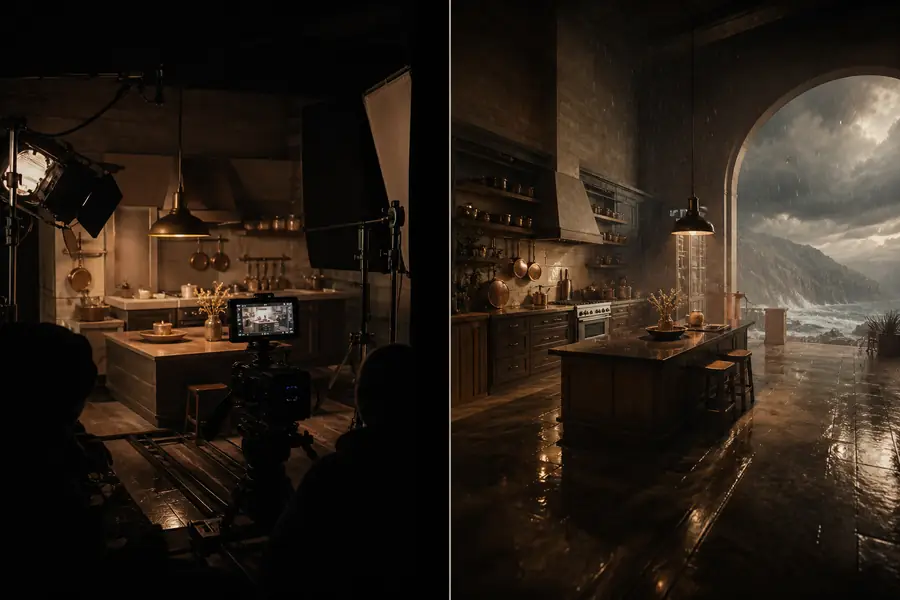
Before: a written concept translated into a visual directionAfter: the selected direction prepared for further refinement
The useful comparison is not only which image looks better. It is which tool gets you closer to a deliverable with fewer frustrating revisions.
Is Luma Labs easier for beginners?
Luma Labs is usually easier to approach when a beginner wants to type a description and explore results quickly. Runway can still be approachable, but its wider feature set creates a larger surface to learn.
Which produces more cinematic video?
Luma Labs often has the edge for a cinematic first pass, especially when the prompt describes camera movement, atmosphere, and a single clear action. Results vary by subject, so a controlled side-by-side test is more reliable than a general claim.
Should a professional use only one?
Not necessarily. A professional workflow can use Luma Labs for ideation and shot discovery, then use a preferred editing environment for selection, continuity, sound, and delivery. Runway may reduce that handoff when its surrounding tools match the project.
HONEST LIMITS
Neither guarantees continuity
Characters, props, and locations can shift between generations, even when the prompt is carefully written.
Workaround: generate short shots, keep references consistent, and select for continuity in the edit.
Neither replaces creative direction
A polished interface cannot decide what the scene should communicate or which take serves the story.
Workaround: define the audience, emotional beat, and shot purpose before opening either tool.
Text instructions have limits
Exact choreography, small text, hands, and complex interactions remain difficult in generated video.
Workaround: simplify the action, split it into shots, and add precise details during post-production.
Quality is not the whole workflow
The most impressive single clip may not come from the platform that makes your complete project easiest.
Workaround: compare usable outputs, revision time, export needs, and team habits together.
A SIMPLE SCORECARD
2platforms worth testing against the same brief
4core checks: motion, consistency, control, and speed
1small project needed to reveal the better fit
0reasons to choose from brand reputation alone
The clearest answer to “is luma better than runway” comes from your own reference prompt and delivery requirements. Start with the kind of shot you actually need, review several outputs from each platform, and choose the workflow that leaves more creative energy for the final result.